

Photography Mode
Stop guessing when the light will be right.
One switch turns the whole app toward the shot: where the sun is, when golden hour really starts, and which day this week looks best for the light and the animal you’re after.
Part of Premium, or a Safari Pass from R29. See what it does
Why it matters
Two photographers plan the same trip. One checks the weather app.
The other opens opspoor, sees which of the next seven mornings actually gives the light and the species they want, and books around it. By the time the first one realizes Thursday was the day, the light’s already gone. So is the shot.
Live
Today’s light, park by park.
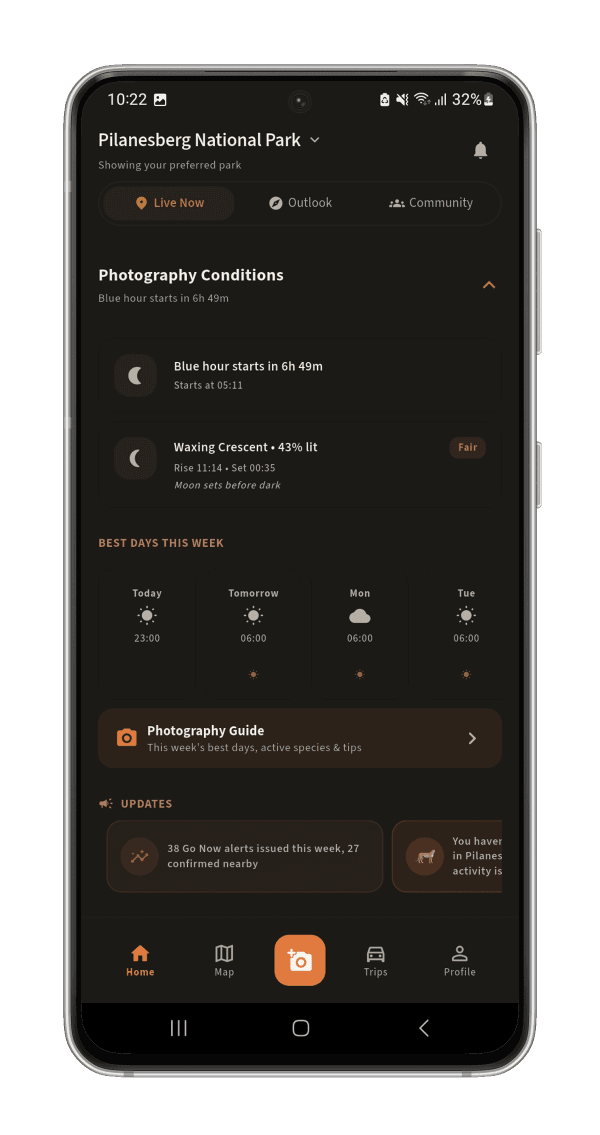
Today’s golden and blue hours in each park, worked out the way Photography Mode does it, and what the light is doing right now.
Working out today’s light…
- --:--
- --:--
- --:--
- --:--
Golden hour is the sun between 4° below and 6° above the horizon, blue hour just before and after it: the same windows the app counts down.
What changes when you switch it on
Every corner of the app starts working for your camera.
Live sun position, right on the map
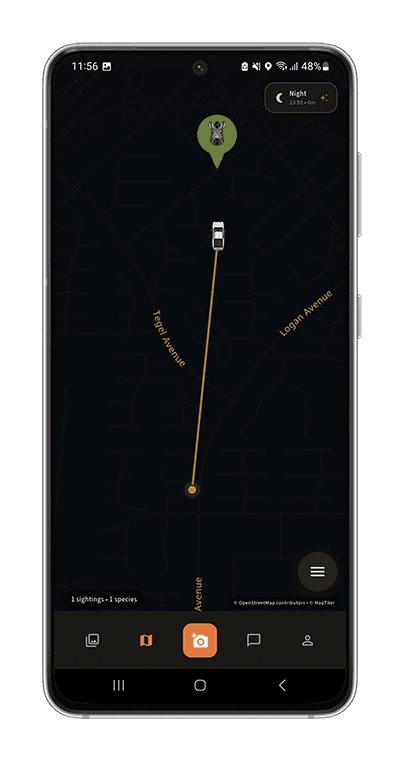
A sun-direction ray plus color-coded backlit/front-lit cones on every animal's heading. Know how to position your vehicle before you even arrive.
Golden & blue hour, counting down
A live countdown on your dashboard so you're already in position before the light turns, not scrambling once it has.
Moon phase & astrophotography viability
Illumination, moonrise/moonset, and a plain-language read on whether tonight's actually worth setting up a tripod for.
Your best shooting day, 7 days out
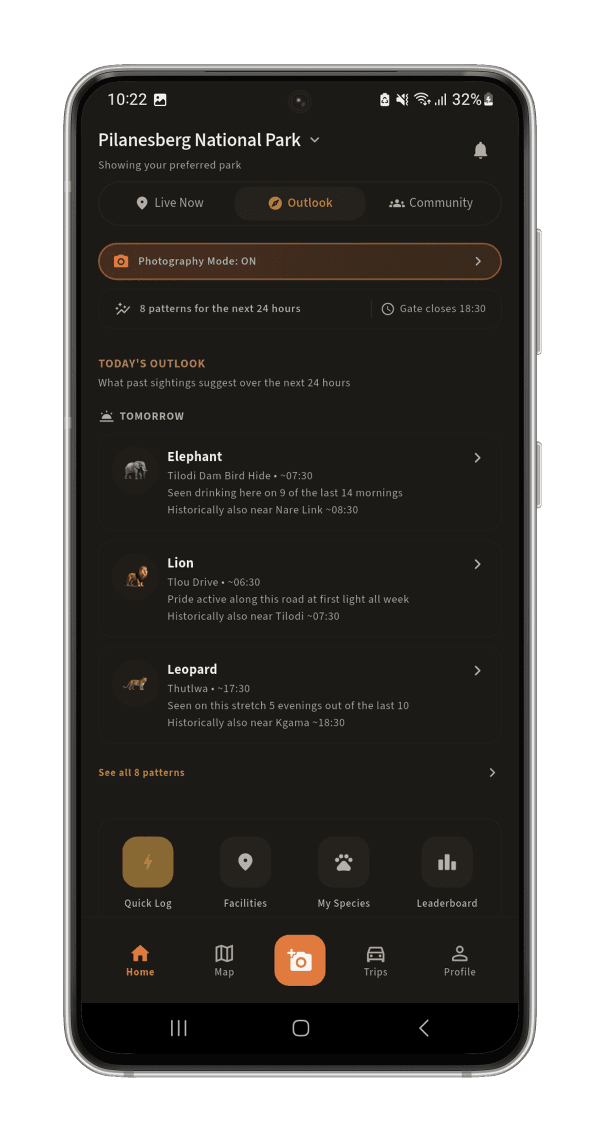
A per-species forecast blending real historical patterns with actual forecast weather, so you can see Thursday morning looks better than Saturday afternoon before you've left home.
Active around you lately, with real photos
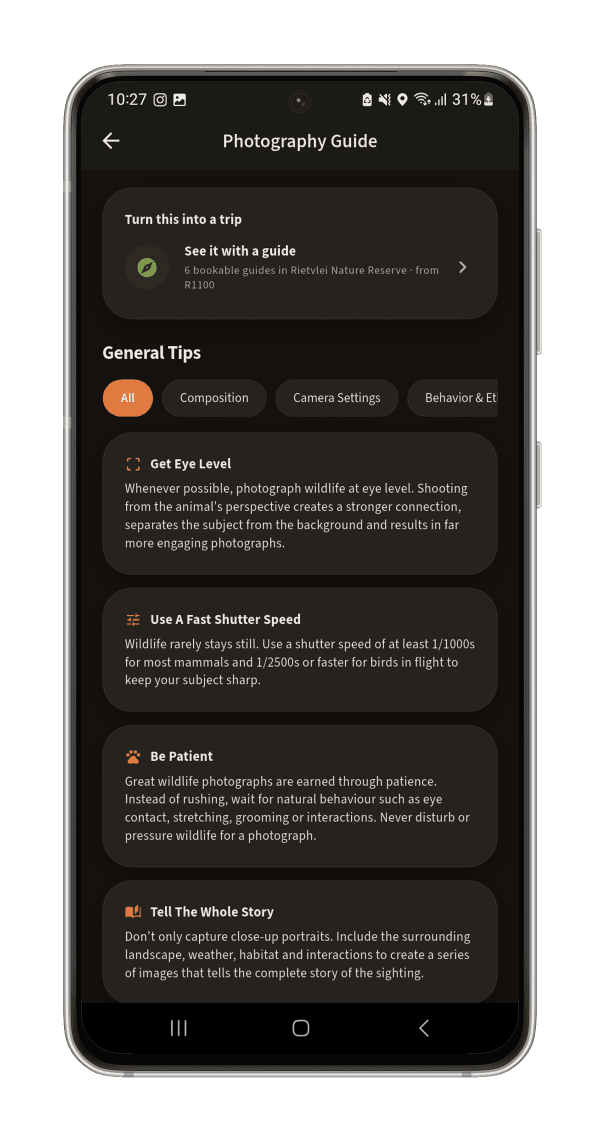
The Photography Guide shows species with recent activity in your park, each with a real, recent sighting photo.
Badges, leaderboards, bragging rights
Shots taken in golden or blue hour get flagged automatically, feed the "Best Light" leaderboard, and unlock their own tiered achievements.
Inside Photography Mode
A closer look
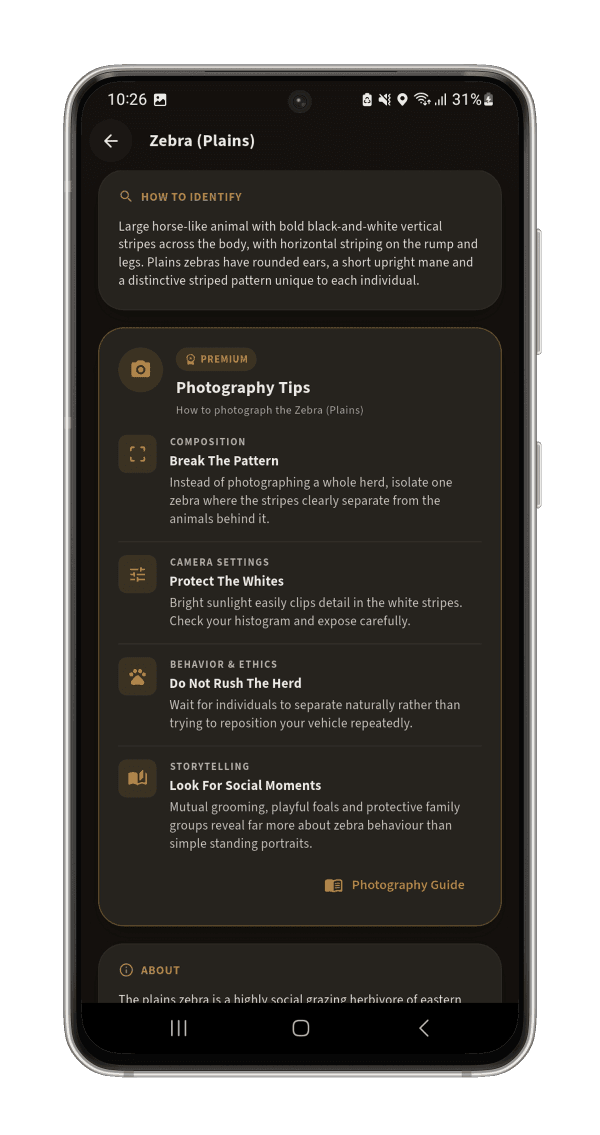
Part of Premium
Photography Mode comes with opspoor Premium.
R69/month, R599/year, or a once-off Safari Pass from R29 that covers just your trip. Premium also adds sightings awaiting confirmation, movement predictions and heatmaps, offline maps and the trip itinerary builder.
New to a long lens? Start with the free sightings map to find the animal first, then switch on Photography Mode when you want to plan the light around it.
Don’t miss next week’s best light.
opspoor is free to download. Photography Mode comes with Premium, or a Safari Pass for your trip.